

Paid scripts
8 packagesPremium Scripts & Resources
Upgrade your FiveM server with our top-tier, custom-coded premium scripts. Designed for roleplay servers that demand unique gameplay features, maximum reliability, and unmatched performance.
Why choose our premium scripts?
Peak Performance – Extremely lightweight and optimized (
0.00msidle resmon).Fully Customizable – Extensive configuration files, open framework functions, and clean code.
Dedicated Support – Fast and helpful support via Discord whenever you need assistance.
Regular Updates – Free feature updates and bug fixes to keep your server running smoothly.
Take your player experience to the next level today!
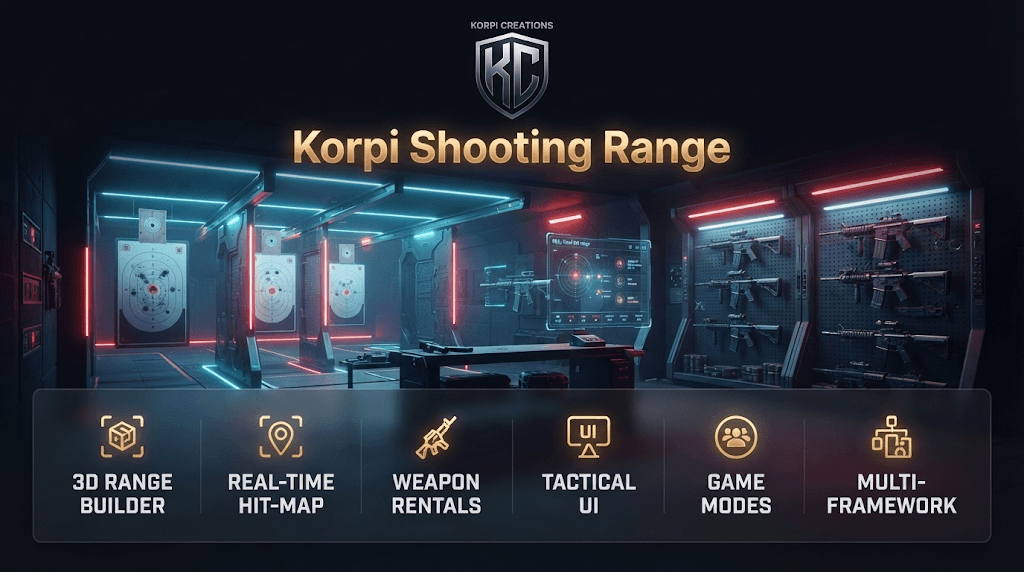
Shooting Range Creator
 Qbox
Qbox QBCore
 ESXStandalone
🎯 KORPI SHOOTING RANGE & IN-GAME EDITOR by Korpi Creations Turn any spot on your map into a fully working shooting range in minutes, without touching a single coordinate file. Your players rent a weapon, step into a booth and watch every bullet hole appear live on their HUD. Every shot is verified by the server. ━━━━━━━━━━━━━━━━━━━━━━━━━━━━ 🏗️ BUILD RANGES IN-GAME - Place the reception desk, shooting booths, targets, barriers and work lights with a live ghost preview - 3 target types: static paper targets, moving rail targets and pop-up steel plates - Bullseye or silhouette layouts with head and torso scoring zones - Radar mini-map showing booths, safe firing sectors, targets and moving rails in real time - Choose which weapons each range rents out, with an individual price and ammo count for every weapon - Shared pricing profiles, owner job and society account per range - Saves instantly. No restarts, live for every player. 🔫 REAL 3D WEAPON PREVIEW The actual in-game weapon model rotates inside a holographic viewport in the rental menu. Drag to rotate, scroll to zoom. Players see exactly what they are renting before they pay. 🎮 A RANGE THAT FEELS ALIVE - The weapon goes straight into the player's hands at round start, magazine loaded - Live hit-map HUD with bullet holes, group size, accuracy ring, streak counter, ammo strip and timer - 3D countdown, "BULLSEYE!" and "HEADSHOT!" callouts, sparks, shockwaves and confetti on new records - Results screen with an S–F grade, shot replay and personal ranking - Persistent leaderboards per range and game mode, with a top-3 podium 🏆 3 GAME MODES - Time Attack: score as much as you can before the clock runs out - Precision: no time pressure, every shot counts - Qualification: reach the pass score and earn a weapon license automatically (qs-licenses) 🛡️ SAFETY & SESSION CONTROL - Booth zones and safe muzzle-angle enforcement with warnings, then an automatic abort - Optional police dispatch alert on unsafe weapon handling - Loadout lock: the player's own weapons are held during the session and returned safely afterwards (crash- and disconnect-safe) - Instructor panel with live shooters, one-click session termination, leaderboard resets and pricing management ━━━━━━━━━━━━━━━━━━━━━━━━━━━━ 🔒 SERVER-AUTHORITATIVE BY DESIGN The client never sends a score. The server recalculates every hit from the stored target geometry and checks ammo limits, fire rate, timing, booth position, the weapon in hand and distance. Payments, weapon handouts and every editor save are validated server-side and rate-limited. ⚡ OPTIMIZED - 0.00 ms idle: loops scale with distance to the nearest range - Range props spawn only when you are close by - UI animations stop the moment a menu closes ━━━━━━━━━━━━━━━━━━━━━━━━━━━━ 🧩 NATIVE QUASAR STORE INTEGRATION - qs-inventory: inventory lock, weapon handling, optional serial-numbered rentals, instructor key item - qs-banking: cash or bank payments, bank statement entries, revenue paid to the society account - qs-licenses: license requirement for renting, licenses granted through qualification - qs-dispatch: safety violation alerts - qs-interface: notifications and progress bar - qs-crosshair and qs-3dsound supported Not using Quasar? No problem. Everything is auto-detected, with fallbacks for ox_inventory, qb-inventory, ox_lib, ox_target and qb-target. ━━━━━━━━━━━━━━━━━━━━━━━━━━━━ ✅ COMPATIBILITY - ESX, QBCore, Qbox (auto-detected), Standalone - oxmysql (recommended) or built-in JSON storage - Database tables are created automatically, so there is no SQL to import - OneSync required 📦 WHAT'S INCLUDED - Full resource with English and Finnish translations - Detailed documentation (EN + FI) - Open, editable files: config, locales, framework wrapper, integration bridges and the complete UI 🔐 Protected with Cfx.re Asset Escrow. Your config, translations and integration bridges remain fully editable. ━━━━━━━━━━━━━━━━━━━━━━━━━━━━ 💬 SUPPORT Join the Korpi Creations Discord for support, updates and new releases. © Korpi Creations — Made for immersive roleplay.

Kart Rental
QboxQBCoreESXStandalone🏎️ Korpi Kart Rental — Complete Kart Rental and Racing SystemKorpi Creations presents: a complete karting experience for your server, from a track editor to races played with a prize pool, all in one package. No standalone addons required, no external dependencies other than oxmysql. Install it, build your first track in a few minutes, and players are ready to race.What You GetIn-game 3D Track Editor: build tracks directly in the world without writing a single line of code. Starting grid positions, checkpoints, and the finish line are placed visually using a ghost vehicle, with real-time adjustments.Free Practice with customizable duration and lap options: players can hone their times before the race.Lobby Races with a Real Prize Pool: players join a lobby, the entry fee is charged only when the race starts, and the prize pool is automatically distributed based on final placements.Live HUD displaying placement, lap time, and gap to the driver ahead, always up to date.Wrong-Way Detection prevents cheating and automatically disqualifies the driver.Track-Specific Leaderboard: players' best times are saved and visible to everyone.Modern, neon-styled UI that fits modern roleplay servers, with full Finnish and English support.Works with All Major Frameworks: ESX, QBCore, Qbox, and Standalone, featuring fully automatic detection.Out-of-the-Box Compatibility with qs-vehiclekeys and qb-vehiclekeys: key assignment and removal are handled server-side, eliminating hotwire bugs.Server-Side Validation for Everything: timing, payments, and keys are processed on the server, making it impossible to exploit results or stakes.Who This Is ForRoleplay servers looking to offer players an authentic, custom-built karting activity, without needing a developer to set up every track. Equally suited for a single-track test server or a larger community running multiple racing circuits.RequirementsoxmysqlOneSync (karts are spawned server-side)ESX, QBCore, Qbox, or no framework at all (Standalone support included)SupportAll updates and product support are provided by Korpi Creations, pre- and post-purchase questions are handled via the Tebex store support channel.

Advanced Police Helicopter Camera
QboxQBCoreESXStandalone🚁 Korpi_helicam — Police Helicopter CameraGive your air unit real eyes. A complete helicopter camera system for law enforcement roleplay: four imaging modes, automatic tracking, a synchronized searchlight, terrain overlays and a shared multi-crew feed, built for ESX, QBCore and QBox, with Quasar Store integrations included.Sit in the helicopter, press E, and fly the mission from the sensor.Four sensors, one keyDAY / COLOR, the standard electro-optical view, day or nightNIGHT VISION, light amplification for dark scenesTHERMAL, heat-signature view for locating and identifying targetsFLIR, white-hot and black-hot infrared with automatic day and night profiles, so crews never have to fiddle with exposureCycle sensors with a single key. The whole crew sees the same feed.Tracking that behaves like the real thingTap SPACE to auto-track the vehicle or person under the reticleHold SPACE to anchor the camera to a ground pointOcclusion handling: when buildings block the view, the feed goes OBSTRUCTED, then PREDICT (path estimation), then TRACK LOST. The lock only returns if the target reappears where it should be, no cheating through coverLicense plate reader that only reads plates that are actually there and legible at the current zoom. Bicycles, dirt bikes and other plateless vehicles show N/A, so there is no metagamingSynchronized searchlightA real light source that every nearby player can see.Slaved to the camera target, or steered manually with the right mouse buttonAdjustable beam width (SHIFT + wheel) and brightness (CTRL + wheel)Server-validated, so it cannot be abusedTerrain overlaysRoads (R): centrelines with street names and elevation tinting, from blue at sea level to red on mountain passesGrid (J): a ground-conforming spatial reference gridLabels (L): postals, districts and landmarksWorks across Los Santos, Blaine County and Cayo PericoTrue multi-crewOne camera instance shared by pilot and crewHold Y to offer camera control, tap Y to accept itM drops named crew markers visible to everyone aboard. A marker placed on a moving vehicle or person follows them while they are in sight, then holds its last seen positionMarkers clear automatically when the aircraft leaves the zone or the crew exitsF10 operator panel: pilots can choose to see the operator's target and markers right in their normal viewClean, modern interfaceThree interchangeable compass / reticle styles plus a classic heading tapeA key guide appears when you sit in an eligible helicopter, and a key strip stays visible in the cameraSoft, rounded menus; every key is rebindable, controller bindings includedFinnish and English included, add your own language by copying one fileBuilt to be lightDesigned for 0.00 ms when idle and about 0.1 to 0.4 ms with the camera and searchlight active. Nothing runs outside an eligible aircraft, and all overlay drawing happens in the NUI instead of per-frame Lua draw calls.Secure by designServer-authoritative job, grade, duty, ACE, helicopter model, seat and light checksOnly the current operator can control the cameraPer-player rate limiting and automatic cleanup when players leave their seatCompatibilityFrameworks: ESX, QBCore, QBox (auto-detected), standalone with ACEQuasar Store: qs-dispatch (alert on vehicle lock), qs-smartphone / qs-smartphone-pro and qs-inventory (locked while the camera is open)Permissions: Job + minimum grade per job, on-duty check, ACE, custom helicopter listDispatch: Delivery lives in an open bridge file, so any dispatch resource can be plugged inFor developersClient and server exports, onCameraOpen / onCameraClose lifecycle events, editable hook functions and a fully documented configuration.What you getProtected core scripts (Cfx.re Asset Escrow)Open, editable config.lua, locales/, bridge/ and server/sv_config.luaProfessional documentation with installation guide, configuration reference, API and troubleshootingUpdates and support from Korpi CreationsRequirementsOneSyncESX, QBCore or QBox (or standalone with ACE)Quasar Store resources are optionalKorpi Creations, scripts built for serious roleplay servers.
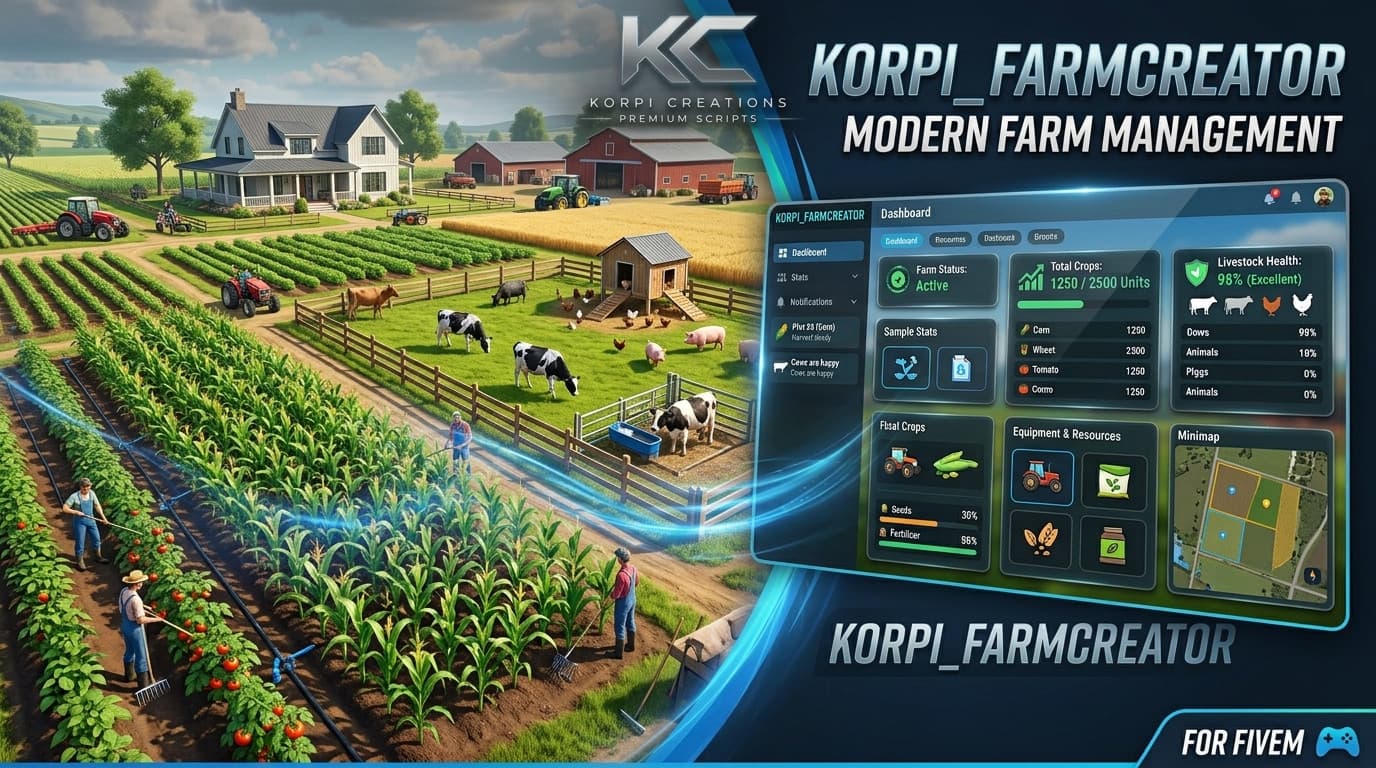
Farm Creator
QboxQBCoreESXStandaloneKorpi Farming – Farm Creator & Agriculture System Build complete farms in-game. No code. No restarts. Korpi Farming lets admins, farm jobs and players design and run their own farms straight from the in-game Korpi Studio. Draw the land, place fields, greenhouses, animal pens, mills, garages and farm shops with an XYZ gizmo, and the farm is live at once. What's inside In-game farm builder: step-by-step wizard, boundary drawing, plowed-soil fields and XYZ gizmo placement Living crops: water, fertilizer, pests, weather, day/night growth, quality-based harvests and greenhouses Livestock: cows, pigs, chickens and sheep, with feeding, breeding, healing, milk, eggs, wool and meat Processing: mills, dairy, fruit press and loom with timed queues that keep running while you're away Economy: farm shop and produce stand, restaurant supply chain, farm treasury and taxes Machinery garage: rent or buy tractors, with keys handed out automatically Korpi Market phone app: see what every farm is growing and selling (qs-smartphone-pro) Fair-play options: crop withering on/off, and farms freeze while their members are offline Compatibility ESX · QBCore · Qbox · Standalone (auto-detected) ox_inventory · qs-inventory · qb-inventory · ESX inventory Built-in Quasar integration: qs-vehiclekeys, qs-advancedgarages, qs-housing, qs-shopscreator, qs-restaurantcreator and qs-smartphone-pro Highlights ✔ Near-zero idle usage, with nothing running when you're away from a farm ✔ Everything saved to the database (oxmysql) and survives restarts ✔ Full English & Finnish translations ✔ Easy config and step-by-step README Korpi Creations · Premium Scripts
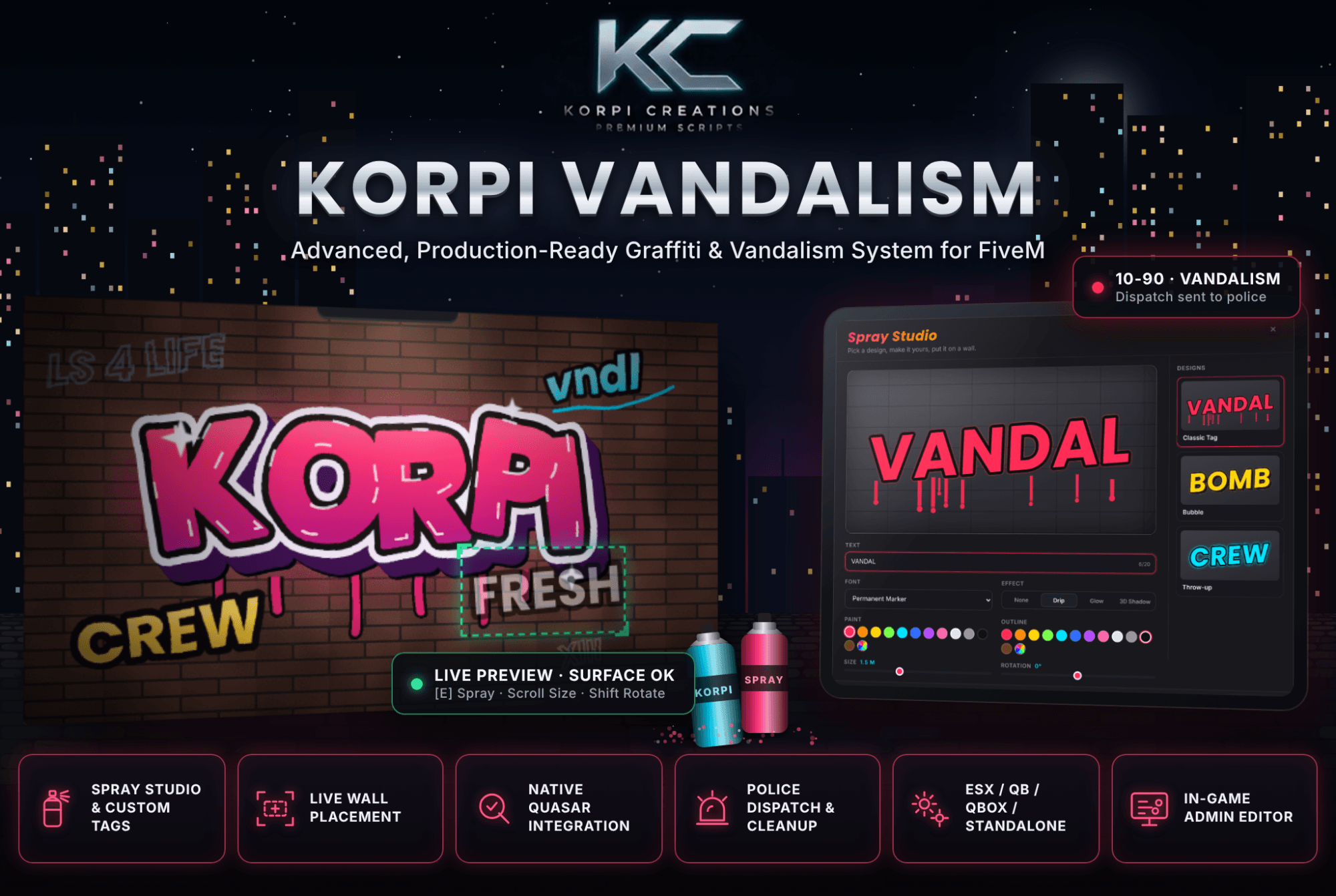
Vandalism
QboxQBCoreESXStandaloneKorpi Vandalism Advanced, production-ready graffiti & vandalism system for FiveM. Let your players leave their mark on the city with real wall graffiti, not floating 3D text. Pick a design, make it your own, aim at a wall and spray. Police get alerted, and cleaners get paid to scrub it off. Features Spray Studio UI: custom text, fonts, colours, outlines, effects (drip, glow, 3D shadow), size and rotation Live wall placement: ghost preview with a green/red frame and a surface check, so tags always sit cleanly on the wall Real spraying: spray can prop, paint particles and a tag that fades in as you paint Police & cleanup: dispatch alerts, minimum-police requirement, and a paid cleaning job with the graffiti remover ox_target support: Spray a tag and Clean graffiti options appear when you carry the right item Zones & limits: blocked areas, hotspots with a higher alert chance, cooldowns, per-player and server tag limits, word blacklist In-game admin editor: manage tags, designs, zones and every setting live, with no config editing or restarts Optimised: 0.00 ms idle, and only nearby tags are rendered Compatibility Frameworks: ESX · QBCore · Qbox · Standalone (auto-detected) Quasar Store: qs-inventory · qs-dispatch · qs-smartphone · qs-housing Also supports: ox_inventory · ox_target · ps-dispatch · cd_dispatch Storage: oxmysql, or JSON with no database needed Languages: English & Finnish Included Full resource · SQL & item files for every inventory · setup guide Korpi Creations – Premium Scripts
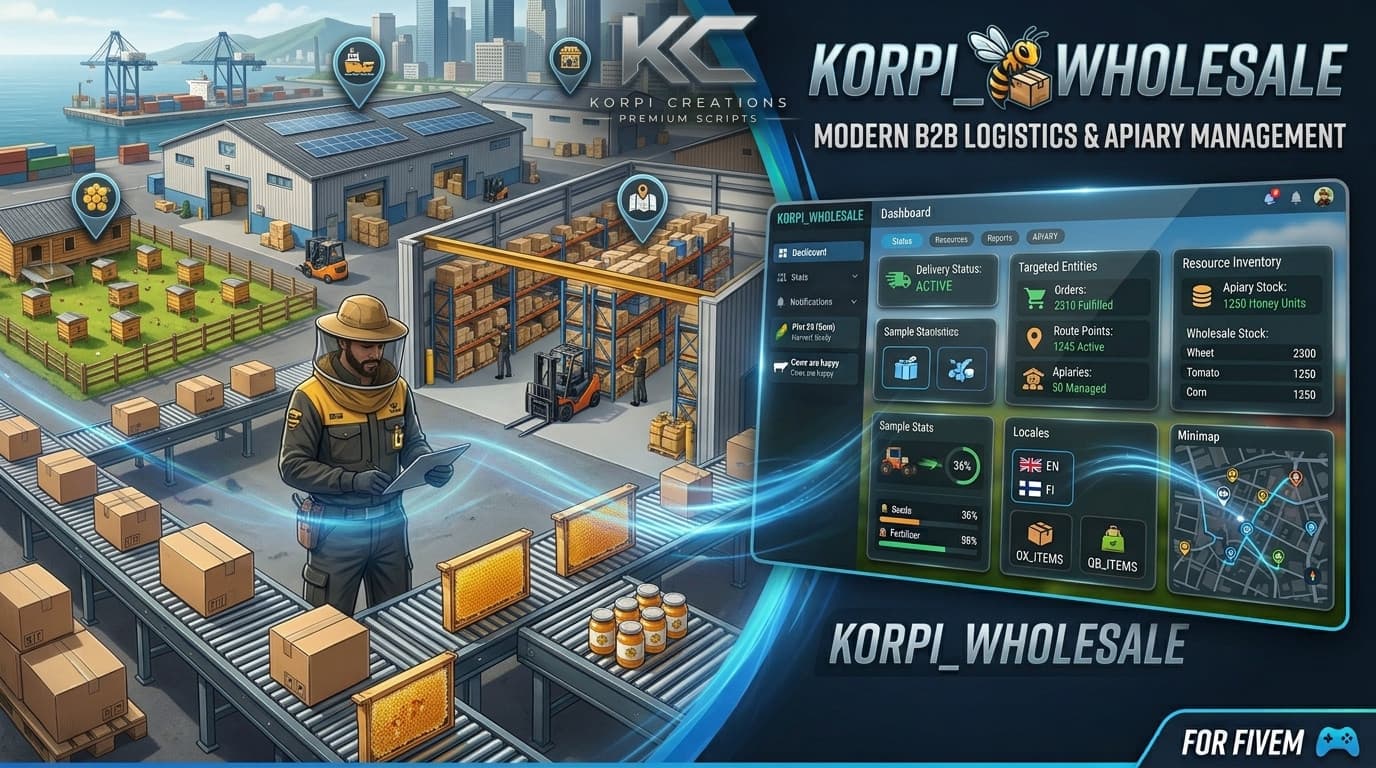
Wholesale Creator
QboxQBCoreESXStandalone🏭 Korpi WholesaleWholesale, warehouse stock and delivery logistics for FiveM. Run a working wholesale company: restaurants order from a tablet, drivers deliver to their door, and the warehouse buys its stock from farms, beekeepers and players. If no one takes a delivery, an NPC courier does.Restaurant ordering tabletClean in-game tablet with a product catalog, categories, search and a live cartChoose player driver delivery or NPC express with a guaranteed arrival timeLive order tracking: Placed, Loading, On the way, Delivered, with courier countdownPays from restaurant credit, then the society account, then the player. Cancelled orders are refunded automatically.Deliveries go straight into the restaurant's stash (ox / qs / qb), or into a delivery crate at the restaurant's door. A crate prop appears while goods are waiting.Delivery jobs: players and NPCsDispatch board with route, number of boxes, pay and van sizeServer-spawned delivery vans with keys, fuel and a refundable deposit. The vans always stay unlocked.Carry boxes by hand: load the van, drive, park and carry each box to the delivery spotEvery step is checked on the server (distance, van position, box count). No teleport or exploit payouts.NPC couriers take over automatically when no driver is online or a job waits too long. Nearby players see the van arrive and unload.Warehouse and company economyOwn warehouse stock with buy and sell prices and a capacity for every productCompany balance, 7-day income and expenses, a full transaction history, and deposit / withdrawManagers edit prices, capacity and listings live from the tabletPort imports for goods no farm producesBuilt for the Korpi ecosystemKorpi Farm Creator: buy farm stand stock directly from the tablet; the farm is paid instantly and a pickup job is created. Farm supply points can feed the warehouse automatically.Korpi Beekeeping: a honey counter appears at every honey farm. Beekeepers are paid on the spot and see the honey farmer's price for comparison. Sales are collected in one pickup per farm.Sell counter: any player can sell goods to the wholesale, up to the warehouse's free space.In-game admin editorPlace every location in-game with a raycast placement tool: loading bay, sell counter, van garage and portCreate restaurants and their delivery spots without touching a config fileLink restaurants by job, by owner, or to a qs-restaurant-creator restaurantCompatibilityFrameworks: ESX, QBCore, Qbox, Standalone (auto-detected)Inventories: ox_inventory, qs-inventory, qs-advancedinventory, qb-inventory, ESXQuasar Store: qs-vehiclekeys, qs-inventory, qs-restaurant-creator (exports checked against the official documentation)Banking: Renewed-Banking, qb-banking, qb-management, esx_addonaccountTargets: ox_target or the built-in [E] promptLanguages: English and FinnishPerformance0.00 ms idle. Markers and animations only run while you're near a point or carrying a box. One lightweight server tick handles all logistics. The tablet only refreshes the page you're looking at.RequirementsoxmysqlOneSyncIncluded: the script, SQL, item and job files for every supported inventory and framework, and a step-by-step README.
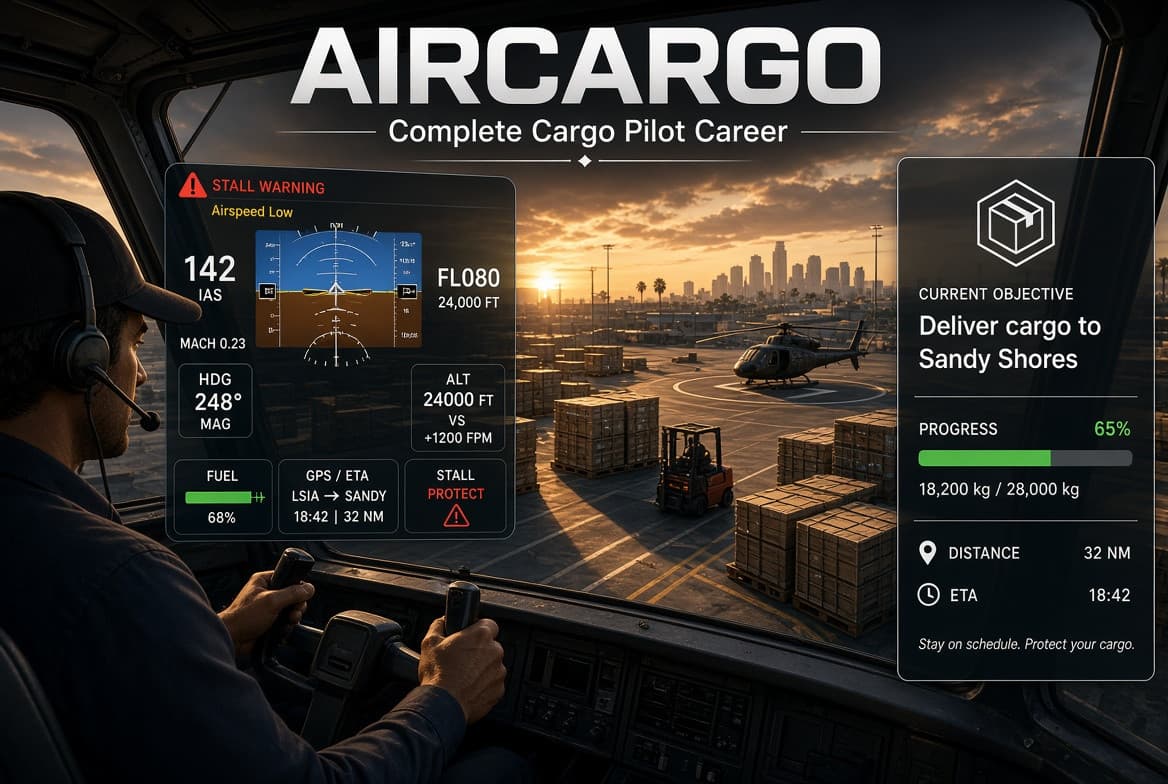
Air Cargo Job
QboxQBCoreESXStandalone✈️ Air Cargo JobA complete cargo pilot career for your server. Players load real crates, fly real GTA aircraft with a custom cockpit, land for a score and get paid in two parts. Everything is native GTA content, so there is nothing extra to stream.How it works on your serverPlayers visit a pilot NPC at an airport or helipad (target or [E]) and open the tablet.They choose a route, aircraft and cargo. The aircraft spawns and the job starts.Planes: carry the crates from the glowing pile into the aircraft, or load pallets with a forklift on the big freighter. Taxi, take off, fly to the destination, land and park at the apron.Helicopters: fly to a pickup site, land on the pad, load the crates, fly to the drop-off pad and unload.Half of the pay arrives when the cargo is delivered. The rest comes when the pilot flies the aircraft back to its origin intact, so nobody is stranded. The aircraft then vanishes immediately.Unique featuresCustom cockpit NUI: analog six-pack or glass PFD, per aircraft, with airspeed, altitude, attitude, heading, vertical speed, fuel, GPS/ETA, stall/overspeed/gear warnings and ATC messages. The GTA HUD hides while flying.GTA's own flight model: the script never changes handling, mass or power.Planes and helicopters with level-gated aircraft (Duster, Velum, Mammatus, Cuban 800, Shamal, Luxor, Titan, Maverick, Frogger, SuperVolito, Swift).Helicopter missions with pickup sites (A to B and return).Reputation levels that unlock bigger aircraft and better routes.Landing score: touchdown accuracy, sink rate, flight time and aircraft condition change the payout.Legal and illegal flights: illegal cargo pays more, goes to a black-money account or item, alerts police (dispatch and flashing blips) and can be seized by police next to a stopped aircraft.Right-side objective panel with sliding instructions and progress, left-side pilot panel (flaps, engine, lights, cockpit size).Durable aircraft: damage is scaled so normal flying and rough landings do not destroy them, real crashes still do.Two-part payout with deposit option and refund.Full in-game editor (/aircargo_admin): airports, helipads, aircraft, cargo, routes and economy. No file editing needed.Job restriction toggle: open to everyone, or limited to a framework job and grade.Server-authoritative: state order, timing, positions and payouts are validated on the server.Performance: no per-frame work while idle.Compatibility (auto-detected)Frameworks: ESX Legacy, QBCore, Qbox, standaloneQuasar Store: qs-inventory, qs-dispatch, qs-vehiclekeys, qs-interface (notifications and progress bar), qs-smartphone-pro (payout notification), qs-fuelstationsOther inventories: ox_inventory, qb-inventoryTargets: ox_target, qb-target, qtarget, or built-in [E] promptsKeys / fuel / dispatch / HUD: qbx_vehiclekeys, qb-vehiclekeys, wasabi_carlock, jaksam, mk_vehiclekeys, cd_garage, okokGarage, t1ger_keys, LegacyFuel, ox_fuel, cdn-fuel, ps-dispatch, cd_dispatch, core_dispatch, jg-hud, plus hooks for any custom HUDOptional oxmysql (otherwise data is stored in JSON files)Developer friendlyOpen config, locale and bridge files (adapters are easy to extend), server and client exports, events for your own scripts, README with installation and troubleshooting. Cfx.re Asset Escrow protected.RequirementsOneSync enabled. Optional: oxmysql, ox_lib.

Cinematic Trailer Tool
QBCoreESXCinematic Trailer – Automated Cinematic Camera System for FiveM (ESX & QBCore) Film your server’s trailers, showcases and roleplay clips like a studio. Cinematic Trailer turns the game camera into an automated drone/film crew. Type one command and the camera flies smooth orbits, crane shots, dolly zooms and fly-bys around your character or vehicle. The black bars and title cards are on screen too. Nothing is recorded by the script: it only controls the camera, so you capture the footage with OBS, ShadowPlay, Medal or any recorder you like. How it can be used on a server Server trailers and promo videos: Run /cinematic epic_trailer for a ready-made, punchy 50-second trailer, then record it. No camera skills needed. Character and RP content: Players film hero intros, character showcases and cinematic b-roll of their own character or car. This is great for content creators, streamers and RP storytelling. Car meets and racing: The vehicle sequences track cars with chase, side and front tracking shots. Camera distances scale automatically with the vehicle size. Events and staff: Restrict the camera to a job (reporters, police), to admins via ACE, or open it to everyone. Other scripts: Start and stop cinematics from your own resources with simple exports, for example an intro when a player first spawns or a victory cam at the end of a race. Unique features 23 camera presets included: orbits (slow, fast, low hero), dolly in/out, dolly zoom (“vertigo”), crane up/down, fly-bys, spirals, bird’s eye, wide establishing, close-up with depth of field, dutch angle, low/high angles, and side, chase and front tracking. 6 ready-made sequences: Showcase, Epic Trailer, Hero Intro, Vehicle Action, Ambient B-Roll and Random Mix. Fully config-driven: A new camera is one config entry, with no coding. A new sequence is just a list of camera names, with optional per-shot overrides for duration, FOV and transition. Sequences can shuffle, loop, or be fitted to an exact total duration. Smooth, professional motion: Lerp with ease-in/out curves (sine, quad, cubic, quart, expo and more). Cut, fade or blend transitions between shots, and a smooth blend back to the normal gameplay camera. Smart camera behaviour: It follows the player or their vehicle automatically. It avoids clipping through walls. It streams the world around the camera for long fly-bys. It supports handheld shake, dutch roll and depth of field. Immersive presentation: Animated letterbox bars, intro title cards per sequence, a closing card (can be disabled), and the HUD, minimap and radar hidden while filming. Combat controls are blocked, or you can freeze the player completely. Permissions and anti-abuse: Everyone, job-and-grade, ACE, or job-or-ACE modes, plus a configurable cooldown that is enforced on the server. Easy for players: /cinematic or /trailer opens a menu, using ox_lib if present and a built-in native menu if not. You can also use /cinematic , /cinematic list and /cinematic stop. Optional keybinds can be rebound in the FiveM key settings, and X stops filming at any time. Framework support: Auto-detects ESX Legacy, ESX and QBCore, with no extra setup. ox_lib is optional, and there are no other dependencies. Developer friendly: Client exports StartSequence, Stop and IsActive, server exports StartSequenceForPlayer and StopForPlayer, and onStart/onStop hooks in the config to hide your custom HUD, phone or chat while filming. Clean and safe: Only one camera is active at a time. Cameras and threads are cleaned up on stop, death, logout and resource restart. Low resource usage, with the loop running only while a cinematic is active. Multilingual: English and Finnish included, with an easy way to add more. Open config: config.lua and the framework bridge are not encrypted, so you can customize everything. Full documentation is included in English and Finnish. Requirements: ESX or QBCore (auto-detected). ox_lib is optional.